

Settings
Free 20-20-20 Timer for Eye Strain Relief & Better Focus
Take regular screen breaks with our free 20-20-20 timer. Reduce eye strain, prevent fatigue, and stay focused throughout your workday. No signup needed. Get automatic reminders every 20 minutes to rest your eyes and boost productivity while working.
Introduction
Whether you work from home, study online, or spend your day in front of a computer, this tool helps you build healthier screen habits that protect your vision and improve concentration.
Why Use a 20-20-20 Timer?
Our timer runs quietly in the background and alerts you when it’s time to pause. You don’t need to track time manually or worry about forgetting. Just set it up once and let it guide you through healthier work sessions.
Key Features:
- Automatic reminders every 20 minutes to rest your eyes
- Simple, distraction-free interface that works on any device
- Customizable settings to adjust intervals based on your schedule
- No installation required – works directly in your browser
- Free to use with no signup or hidden costs
- Audio and visual alerts so you never miss a break
- Helps reduce eye fatigue and maintain focus throughout the day
How It Works:
- Step 1: Open the 20-20-20 timer on ProductiveMint
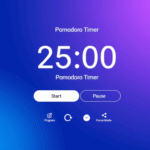
- Step 2: Click “Start” to begin your work session
- Step 3: Every 20 minutes, you’ll receive a gentle reminder
- Step 4: Look at an object 20 feet away for 20 seconds
- Step 5: Return to your work refreshed and focused
Who Should Use This Tool?
- Remote workers and office professionals who spend hours at a desk
- Students attending online classes or studying on laptops
- Designers, developers, and creatives working on detailed projects
- Anyone experiencing eye strain, headaches, or digital fatigue
- People looking to improve their work from home productivity
Why Choose ProductiveMint’s 20-20-20 Timer?
Comparison with Other Options:
| Feature | ProductiveMint Timer | Generic Timers | Mobile Apps |
|---|---|---|---|
| Free to use | ✔ | Varies | Often paid |
| No installation | ✔ | ❌ | ❌ |
| Works on all devices | ✔ | Limited | Device-specific |
| Customizable intervals | ✔ | ✔ | ✔ |
| Privacy-focused | ✔ | Varies | Data collection |
The Science Behind the 20-20-20 Rule
Regular breaks also encourage blinking, which keeps your eyes moist and comfortable. Many people blink less frequently while staring at screens, leading to dryness and irritation.
Tips for Maximum Effectiveness
Stand up during breaks: Use these 20-second pauses to stretch, walk a few steps, or adjust your posture.
Adjust your workspace: Position your screen at arm’s length and slightly below eye level to reduce strain.
Stay hydrated: Drink water throughout the day to help prevent dry eyes.
Reduce screen brightness: Match your display to your surrounding light levels to minimize eye stress.
Boost Your Productivity with Smart Breaks
Our digital wellness tool fits naturally into any productivity system. Use it alongside the Pomodoro Technique, time blocking, or your preferred work method. The gentle reminders keep you on track without disrupting deep work sessions.
Related Resources
Complete Guide to Pomodoro Technique for Studying → Master the science-backed strategies that make our timer even more powerful. Learn customization techniques for different subjects and study goals.
Get Started Today
Launch Free 20-20-20 Timer
Frequently Asked Questions
What is the 20-20-20 rule?
The 20-20-20 rule is an eye care guideline that recommends taking a 20-second break every 20 minutes to look at something 20 feet away. This helps reduce eye strain from prolonged screen use.
Can I customize the timer intervals?
Yes, you can adjust the timing to fit your needs. While 20 minutes is recommended by eye care professionals, you can change the interval if your work requires different break schedules.
What makes this different from phone timer apps?
Our timer is specifically designed to minimize distractions. Phone apps come with notifications, social media temptations, and battery drain. Our web-based tool keeps your phone safely out of reach while providing superior study-focused features.
Does this work on mobile devices?
Absolutely. The timer works on smartphones, tablets, laptops, and desktop computers. Just open it in your web browser and it adapts to your screen size.
Will the timer keep running if I switch tabs?
Yes, the timer continues running in the background even when you’re working in other tabs or applications. You’ll still receive alerts when it’s time for a break.
Do I need to create an account?
No account needed. Simply visit the page and start using the timer immediately. We don’t collect personal information or require registration.
How far is 20 feet?
Twenty feet is roughly the distance across a typical room. You can look out a window, focus on a distant wall, or find any object that’s approximately that far away. It doesn’t need to be exact.
Is this scientifically proven to help?
The 20-20-20 rule is recommended by optometrists and supported by research on digital eye strain. While individual results vary, regular breaks have been shown to reduce eye fatigue and discomfort.